Classic, Mini, Square or Large: choosing between the four card sizes
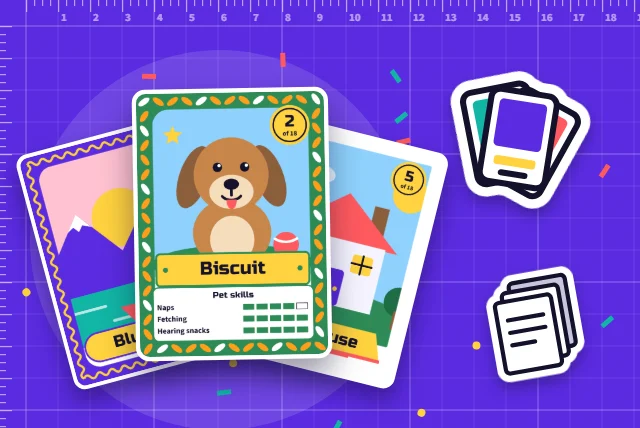
Four rectangles lie side by side on the table: one that hides in a palm, one as big as a small photo print, a neat square and a familiar middle one. The same picture and name behave differently on each.
Choosing the size first saves you from rebuilding a layout that never had enough room, or from printing far more sheets than you planned.
The four sizes side by side
Card Workshop offers four sizes, with Classic selected to begin with. Cards print on letter paper, which measures 8.5 by 11 inches.
| Size | Inches | Cards per sheet | Card area | Whole card at 300 pixels per inch |
|---|---|---|---|---|
| Classic | 2.5 × 3.5 | 9 | 8.75 sq in | 750 × 1050 |
| Mini | 2 × 3 | 12 | 6 sq in | 600 × 900 |
| Square | 3 × 3 | 6 | 9 sq in | 900 × 900 |
| Large | 3.5 × 5 | 4 | 17.5 sq in | 1050 × 1500 |
A few things hide in those numbers. Square has barely more area than Classic, yet only six fit on a sheet instead of nine. Large has exactly twice the area of Classic. Mini has a little over two thirds of it.
Start from what has to fit
List what the front must carry before you look at shapes. A short list points to a small card.
- Mini: one face or one object and a short name.
- Classic: a picture, a name and a few stat rows or a short line.
- Square: a drawing or square picture with a name.
- Large: a group photo, a longer note or several stat rows.
Stat boxes allow up to eight rows, and a tip appears when there are more than five. If you want that many, think Large, or split the rows over two cards.
Words set a limit too. Type is measured in points, and Butterick’s Practical Typography notes that there are 72 points to an inch. It also mentions that text on business cards is often only 6 to 8 points. At 8 points, the size is about a ninth of an inch. That can be read up close, but it will not carry across a room. Shrinking words further to squeeze them onto a Mini card is rarely a kindness to the reader.
The simplest test is on paper: draw the true rectangle and write your words in it by hand. This is the same habit as planning the card on paper.
Match the shape to the picture
Size is also shape. Reduced to simple ratios of width to height, the cards are:
- Classic: 5 to 7.
- Mini: 2 to 3, the narrowest of the four.
- Square: 1 to 1.
- Large: 7 to 10.
An upright picture of a standing child or a sitting dog suits Classic, Mini or Large. A photo in the common 2 to 3 shape matches Mini closely. A curled cat, a round drawing or a flower seen from above often sits happily on Square.
A wide picture, such as a family along a sofa, is the awkward one. In a tall window it loses the people at the ends. Choose Square, or give it a wide window across the upper part of a Large card and use the space below for names. Before you commit, try moving the picture around as described in placing the subject.
Count sheets before you commit
For a single card, size hardly changes your afternoon. For a set, it does.
A set of 20 cards
| Size | Sheets needed | Empty spots left |
|---|---|---|
| Mini | 2 | 4 |
| Classic | 3 | 7 |
| Square | 4 | 4 |
| Large | 5 | 0 |
The method is to divide the number of cards by the cards per sheet and round up. Printing fronts and backs uses the same number of sheets, with both sides inked. If spots are left over, you can duplicate a favorite card in the collection and give someone a second copy. Remember that more cards per sheet also means more cutting.
Think about hands, eyes and storage
Ask who will hold the card and where it will live. Small hands manage a Classic card nicely, while a Mini is easier to misplace. A relative who finds small print tiring will thank you for Large. A card meant to ride in a wallet pocket or sit in an album page must suit that pocket, so measure it first and read about protecting and storing cards.
Picture quality belongs here as well. Prepressure gives 300 as the usual resolution for good magazine printing and says that 220 to 250 is also acceptable for most people. A picture 900 pixels wide stretched across the 3.5 inch width of a Large card gives about 257 pixels per inch. The same file across a Mini card’s 2 inches gives 450. Larger cards ask more of your photo.
Once you have decided, check how much room the cut-safe area leaves at that size. Then open Card Workshop, choose the size first and arrange the pieces for that shape rather than hoping to resize everything later.
Common mistakes
- Picking Mini and then adding six rows of stats
- Cut down to two or three rows, or move up to a larger size.
- Squeezing a wide group photo into a tall window
- Choose Square, or use a wide window across a Large card.
- Choosing Large for forty cards without counting sheets
- Work out the sheet count first. Forty Large cards fill ten sheets.
- Stretching a small picture to fill a Large card
- Use the original file, or keep the window smaller on the same card.
Questions and answers
Which size should a first project use?
Classic is a comfortable start. It balances room on the card with nine cards from each sheet.
How many Classic cards come from five sheets?
Forty-five, because each letter sheet holds nine.
Is Square better for pet pictures?
It depends on the pose. A curled-up cat suits a square, while a sitting dog usually suits a taller card.
Does the cut-safe margin change with size?
The dashed line stays one eighth of an inch inside the edge on every size, so it takes a bigger share of a small card.
Sources
- Prepressure: The letter paper size (checked November 27, 2026)
- Prepressure: Image resolution (checked November 27, 2026)
- Butterick’s Practical Typography: Point size (checked November 27, 2026)
Found a mistake? See how corrections work.