Put old printed family photos on cards without harming them
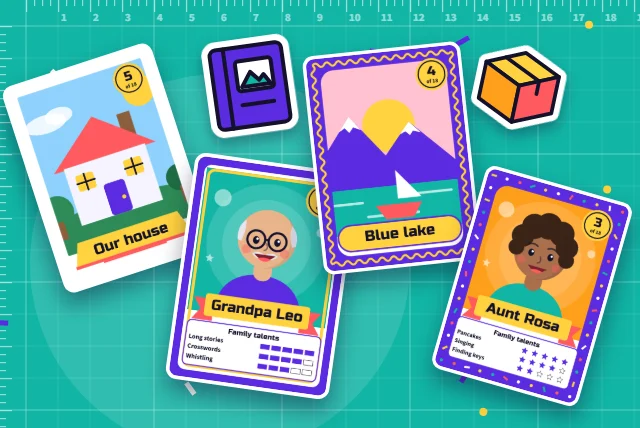
In a shoebox lies a small scalloped print: a young woman on a bicycle, squinting, with a basket full of something leafy. Someone in the family still remembers her name and where the road led. A keepsake card is a lovely way to put that moment in several pairs of hands.
The one rule that shapes everything else is simple. The card is made from a copy. The print itself is not cut, glued, written on or sent through anything.
Set up a clean place before the box opens
Clear a table and wipe it dry before any original comes out. Food and drinks stay in another spot. Wash your hands and skip the lotion. For photographs and negatives, wear clean gloves, because fingerprints can leave permanent stains. Hold each print by its edges and slide a hand underneath to support it.
- A dry, clear table with space to set prints down in one layer.
- Clean hands and a pair of clean gloves that fit well.
- Plain paper envelopes or folders to keep sorted groups apart.
- A soft pencil and a notepad for names and stories, kept away from the prints.
- Your scanner glass wiped, or a camera spot ready beside a window.
Leave problems alone. Do not force a curled or rolled print flat, since the surface can crack. Do not use water, heat, household cleaners or tape. If a picture is stuck in an old album, photograph it where it is. A print that is moldy, flaking or torn and important to you is a case for a trained conservator.
Copy the print without stressing it
A flat, sturdy print that fits entirely on the glass can go on a flatbed scanner. Anything bent, fragile or mounted on thick board is better photographed, and so are pages in a bound album, which should not be pressed flat. Do not use a scanner that pulls sheets through rollers.
For a camera copy, place the print flat near a window without direct sun, hold the lens parallel to it and watch for glare on glossy surfaces. Turn the print a quarter turn if a reflection will not move. Scanner or camera compares the two methods item by item.
Copy the whole print, including the border and any handwriting. If something is written on the back, copy that too. You can always crop the copy, but you may not want to handle the original a second time.
Scan with extra pixels for tiny faces
Old snapshots are often small, and the person you care about may be a small part of them. The setting you need depends on how much you enlarge:
Setting = 300 × printed width ÷ original width
The woman on the bicycle
Say the print is 2.5 inches wide. To show all of it 2.25 inches wide on a card, you need 300 × 2.25 ÷ 2.5 = 270 pixels per inch. But her face is only 0.5 inch wide on the original, and you would like it 1.5 inches wide on a second card. That needs 300 × 1.5 ÷ 0.5 = 900. Scanning once at 900 or higher covers both: the full print comes out 2,250 pixels wide and the face 450.
More pixels cannot add detail that the old lens never caught. Check the scan at full size before planning a very close crop. The general method is in how many pixels a card photo needs.
Build the card from the copy
Keep one untouched master scan. Do any straightening or gentle brightening on a duplicate. Faded tones and a soft brown cast are part of the picture’s character; you do not have to chase a modern look.
Add the duplicate to the Photo piece in Card Workshop. Zoom and move it inside the window, keeping a little of the original border if you like it. The pictures stay in your browser and are not uploaded. A quiet, simple frame usually suits an old print better than a busy one.
Use the back of the card for what the family knows: a first name or nickname, a place described loosely and one sentence of story, such as “Rode to the vegetable garden every morning.” If nobody is sure who it is, say so rather than guess. Leave out surnames, addresses and other personal details, and ask living people before their picture is copied onto cards. Cropping for a small card helps when the print holds a whole group.
Name the master file with who, what, where and when, using hyphens or underscores instead of spaces. Keep three copies of the files you care about, with one of them somewhere away from home.
Put the originals back where they will last
Return each print to a clean folder, sleeve or box large enough that nothing bends. Skip rubber bands, paper clips, sticky tape and self-stick album pages. Choose a cool, dry spot that stays that way all year, such as an interior closet; damp basements and hot attics are poor places.
Light fades pictures, so let a copy be the one on display and keep the original in the dark. Treat your printed cards as copies to enjoy and not as the archive: home printouts can fade fairly quickly and dislike water. If a card gets worn, print another from the master file.
Keep the originals even after the scans look wonderful. A file can be lost, and it is not a replacement for the print your family held.
Common mistakes
- Trimming the original to fit a card
- Crop only the scan or camera copy. The print stays whole.
- Peeling a stuck print from an album page
- Copy it in place and leave removal to a conservator.
- Writing names on the front or back with a pen
- Keep notes on a separate sheet or folder, linked by a number.
- Editing the only scan file
- Duplicate it first and keep the master untouched.
Questions and answers
Should I repair scratches in the copy?
You can lightly tidy a duplicate with your own editing software. Keep the unedited scan too, and avoid changes that alter a face. Card Workshop itself has no retouching tools.
What if the print is behind glass in a frame?
Photograph it from a slight distance with dark clothing and no lamp in front. Opening an old frame can tear a print that has stuck to the glass.
Is it fine to make cards of relatives who have died?
Many families treasure them. Check with close relatives first, since not everyone feels the same about a particular picture.
The face is blurry in the original. Can scanning sharpen it?
No. Scanning records what is on the paper. Show the picture smaller, perhaps with the story on the back doing more of the work.
Sources
- National Archives: Tips for handling family papers and photographs (checked November 27, 2026)
- National Archives: Family archives: general guidance (checked November 27, 2026)
- National Archives: Digitizing family papers and photographs (checked November 27, 2026)
- National Archives: Displaying family papers and photographs (checked November 27, 2026)
Found a mistake? See how corrections work.