Set up a card-making table at a party without a queue at the screen
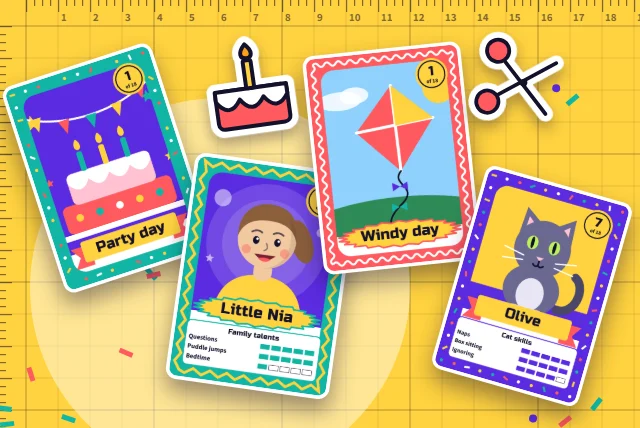
Twelve eager guests and one laptop: that is how a creative corner turns into a line of people shifting from foot to foot. The way out is to break card making into small jobs that happen side by side, so the screen becomes only the last, short stop.
With a couple of paper stations and one design prepared in advance, guests spend their time drawing, sticking and chatting, and each of them still leaves with a card made by their own hands.
Do the arithmetic for the screen
One shared screen is the narrow doorway of the whole activity. Multiply the number of guests by the minutes each one needs there.
| Guests | 3 minutes each | 6 minutes each |
|---|---|---|
| 8 | 24 minutes | 48 minutes |
| 12 | 36 minutes | 72 minutes |
| 20 | 60 minutes | 120 minutes |
These figures are only planning numbers, so time yourself once and use your own. The lesson holds either way: every minute you remove from the screen step is multiplied by the whole guest list. For a large crowd, make the card table one activity that runs all afternoon rather than a single scheduled round.
Lay out three stations
| Station | What happens there | What to set out |
|---|---|---|
| Make | Guests draw or assemble their artwork | Paper squares, pencils, crayons, scraps, glue sticks |
| Picture | Artwork or a portrait is photographed | A table near a window, a plain backdrop, one camera |
| Build | The picture goes onto a card and gets a name | One computer or tablet, a sample card, a list of guests |
The first station can seat many people at once, which is why most of the fun belongs there. Collage is a friendly choice for guests who say they cannot draw. Tate describes it as arranging pieces of paper, photographs, fabric and other bits and sticking them down onto a surface. Offer colored paper, wrapping offcuts, ribbon and your own spare prints rather than pictures cut from other people’s publications.
For drawing, Tate lists ink, pencil, crayon, charcoal and chalk as the most common materials. At a party table, pencil, ink pens and crayon leave far less dust than charcoal or chalk. Cut paper into 6 × 6 in squares: each is exactly twice the width of a Square card, so whole artworks shrink without losing their corners. Our guide on drawing for the card window has more on bold lines.
Prepare one design before anyone arrives
- Open Card Workshop and choose the Square size, which puts six cards on a sheet.
- Add a frame from the Playful style, a name banner that says “Name” and one back design with a title for the occasion.
- Lock the frame, so an excited finger does not drag it across the card.
- Duplicate the card once per guest, plus a few extras.
- At the build station, change only the picture, the name and perhaps one icon.
Show the helper where Undo is. It turns most accidents into a shrug. A tight design also makes the finished cards look like one set, a topic explored further in planning a consistent set.
Agree on picture rules out loud
Say the rules once when the table opens, and write them on a card beside the camera.
- Ask before photographing anyone, and ask a parent about children.
- Put first names or nicknames on cards, nothing more.
- A photo of your artwork is always a fine alternative to a photo of you.
- Use only pictures made here or ones you have permission to share.
- Drawings of other guests stay friendly.
That last line is useful when someone starts drawing a neighbor’s nose. Tate defines caricature as exaggerating features in order to mock or satirize, and a party present should not leave anyone feeling mocked.
Print and hand out without rushing
Twelve Square cards fill exactly two sheets. If every guest wanted a full set of everybody, that would be 24 sheets and 144 cards to cut apart, so decide what you are promising before you announce it. A simple version: each guest takes their own card, and the host keeps one complete set.
Printing can wait until the table closes. In the print window, set the scale to actual size so the cards come out true; printing at actual size explains the settings. Keep trimming tools with the adults. If there is no printer, download a project copy and print another day.
On a borrowed device, finish by saving that project copy somewhere the host controls and then deleting the saved work. The same station plan works for class memory cards or as a side table at a family gathering.
Common mistakes
- Letting every guest design from an empty card
- Prepare one layout and limit choices to the picture, the name and an icon.
- Printing while guests are still building
- Finish all cards first, check the names against the guest list, then print once.
- Offering only a photo option
- Always offer artwork too, for guests who do not want their picture taken.
- Leaving everyone’s pictures on a borrowed tablet
- Download a project copy for the host, then use “Delete saved work” on that device.
Questions and answers
Can guests use their own phones instead?
Work stays in whichever browser made it, so cards built on twelve phones sit on twelve phones. One shared screen keeps the set together.
What if the party has no printer?
Download a project copy or save the sheets as a PDF, print later, and hand out or send the cards afterward.
Can very young guests join in?
Yes, at the make station. Torn paper and big crayon shapes look lively on a card. Adults handle the screen and cutting.
How many spare cards should be ready?
Two or three beyond the guest list cover a sibling who tags along or someone who wants a second try.
Sources
- Tate: Art term: collage (checked November 27, 2026)
- Tate: Art term: drawing (checked November 27, 2026)
- Tate: Art term: caricature (checked November 27, 2026)
Found a mistake? See how corrections work.